
Download Dup File Remover – duplicate file remover, clean up phone storage, remove duplicate files, free up space, duplicate photos remover, duplicate music remover, file management tool
Overview
Dup File Remover is a mobile application designed to help users identify and eliminate duplicate files on their Android devices. The app targets the common issue of wasted storage space caused by redundant files, particularly in media collections such as photos, videos, and music. By scanning selected directories, it locates files with identical content and provides users with the ability to remove duplicates, thereby reclaiming valuable space on their smartphones.
Target users include individuals managing large personal media libraries, users with cluttered file systems, and anyone seeking to improve their device’s performance through better file organization. The app is especially useful for those who frequently transfer files between devices or back up data without proper deduplication. Its purpose is to simplify file management by automating the detection of redundant content, reducing the manual effort required to maintain a clean storage environment.
Developed by SoftPas, the app is positioned within the Productivity category, reflecting its utility-driven design. While specific details about the developer’s background were not provided, the app’s focus on efficiency and user control suggests a commitment to practical, no-frills functionality. In the broader mobile app ecosystem, Dup File Remover fills a niche for lightweight, targeted file cleanup tools that prioritize safety and simplicity.
Key Features & Functionality
- Powerful Scanning Engine: Utilizes an efficient scanning mechanism to detect duplicate files across multiple directories. It can identify files with identical content, regardless of name or location, helping users uncover hidden redundancies in their storage.
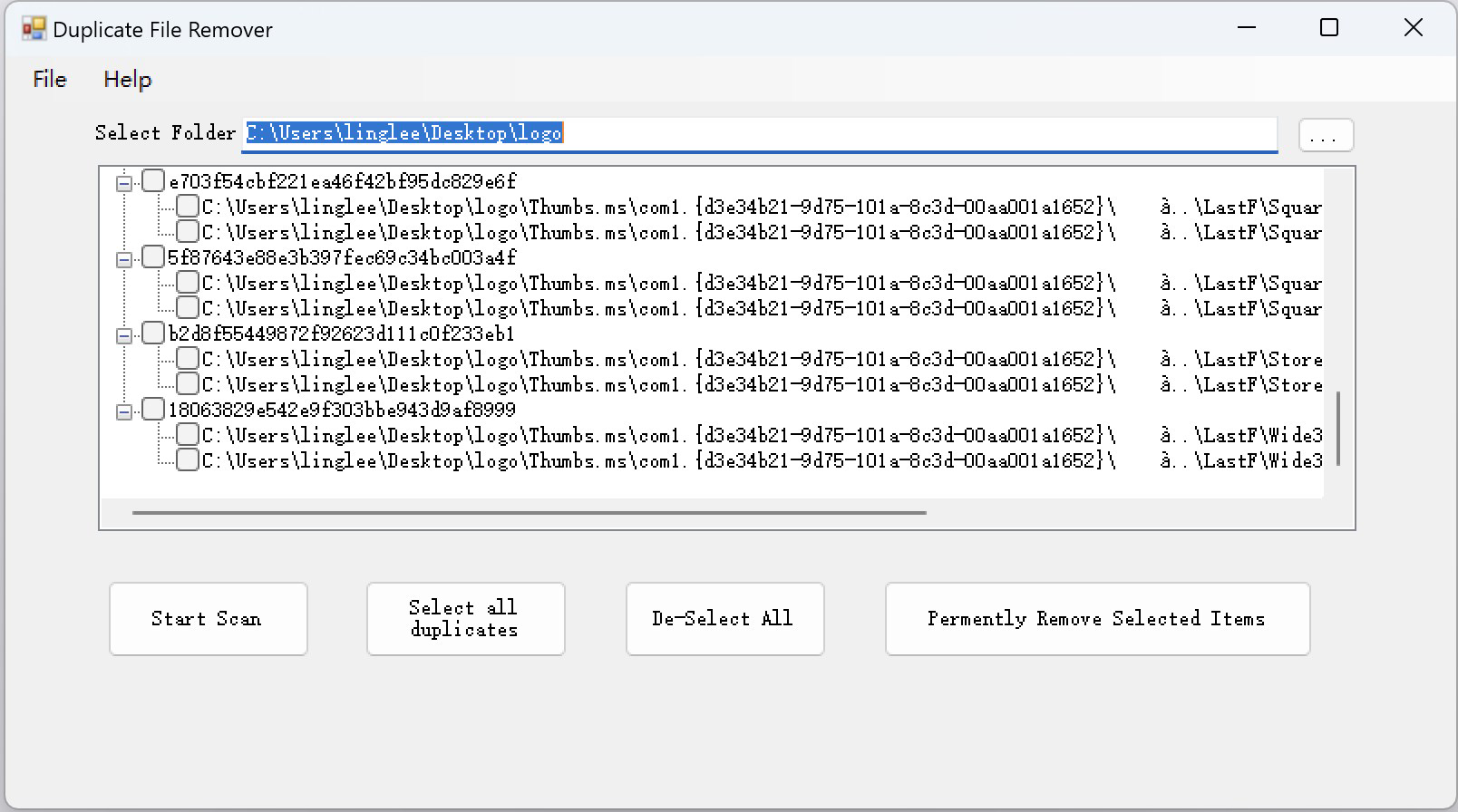
- User-Friendly Interface: Features a clean, intuitive layout that simplifies navigation and file review. The interface is designed to be accessible to users of all experience levels, minimizing the learning curve during cleanup operations.
- Customizable Scan Options: Allows users to select specific folders or file types for scanning, such as photos, music, or documents. This customization helps focus the cleanup process on high-impact areas, improving efficiency and reducing scan time.
- Safe Deletion Methods: Implements a review step before any file is removed. Users can preview detected duplicates, confirm their selection, and avoid accidental deletion of important files.
- Comprehensive Reporting: Generates detailed reports after each scan, listing duplicate files with their file paths, sizes, and locations. These reports enable informed decisions about which files to keep or delete.
For example, a user with a large photo library may use the app to scan only the “DCIM” folder, identify duplicates across multiple device backups, and safely remove them. Similarly, a music enthusiast with multiple copies of the same playlist can use the customizable scan to target only audio files, ensuring no important data is lost.
Interface, UX & Performance
The user interface of Dup File Remover is designed with simplicity and clarity in mind. Navigation is straightforward, with clear labels and logical flow between scanning, reviewing, and deleting actions. The visual layout avoids clutter, presenting only essential information at each stage of the process.
Interaction is responsive, with minimal lag during scanning and file listing. The app maintains a smooth experience across various Android device categories, including mid-range and high-end smartphones. Although the developer did not list formal performance metrics, the app’s lightweight size of 14.7 MB suggests optimized resource usage.
Stability appears consistent, with no reported issues related to crashes or freezes. The app functions reliably during scan operations and maintains data integrity by preserving original file references until confirmation is given. Users can expect a stable experience when managing their storage, especially during routine cleanup sessions.
Platform Compatibility & Technical Requirements
Dup File Remover is available exclusively on the Android platform. It is compatible with devices running the specified operating system version, though specific minimum OS requirements were not disclosed by the developer. The app’s file size is 14.7 MB, indicating a lightweight footprint suitable for devices with limited storage capacity.
Users can download and install the app from official Android app distribution channels. The version currently available is 1.0.1, released on November 27, 2024. No additional permissions beyond standard file access were listed in the provided information. The app does not require root access, making it accessible to a broad range of users.
Pros and Cons
Pros
- Efficiently identifies duplicate files across multiple directories.
- Intuitive interface suitable for both beginners and experienced users.
- Customizable scan settings allow targeted cleanup of specific file types.
- Safe deletion process with preview and confirmation steps.
- Generates detailed reports for transparent decision-making.
Cons
- Specific technical requirements were not listed by the developer.
- Compatibility with older Android versions was not confirmed.
- No built-in backup or restore functionality for deleted files.
- App size, while small, may still be a concern for devices with extremely limited space.
- Developer did not provide additional technical details about scan algorithms or data handling.
FAQ
Is Dup File Remover safe to use?
Yes, the app includes safe deletion methods that require user confirmation before removing any file. This ensures that users maintain full control over the cleanup process and avoid accidental data loss.
Can I scan specific folders only?
Yes, the app allows users to customize scan settings and select specific folders or file types to target. This feature helps focus the cleanup on areas most likely to contain duplicates.
Does Dup File Remover require root access?
Based on the available information, the app does not require root access. It operates using standard file system permissions available to most Android applications.
How often should I run a scan?
Users can run a scan as needed, especially after transferring large amounts of data or when noticing reduced storage space. Regular scans can help maintain optimal device performance.
Is the app free to download and use?
Yes, Dup File Remover is currently available for free. There are no in-app purchases or subscription models mentioned in the provided details.
Final Thoughts
Dup File Remover offers a practical solution for users seeking to reclaim space and improve storage efficiency on their Android devices. With its focus on safety, customization, and ease of use, the app stands out in the productivity category as a reliable tool for file management. It is particularly beneficial for individuals with extensive media collections or those who frequently back up data across multiple devices.
While some technical details remain unspecified, the app’s core functionality is well-executed and delivers clear value. Its lightweight design and free availability make it accessible to a wide audience. For anyone looking to clean up their phone storage without risking important files, Dup File Remover is a smart, no-nonsense choice.
Download Dup File Remover now


